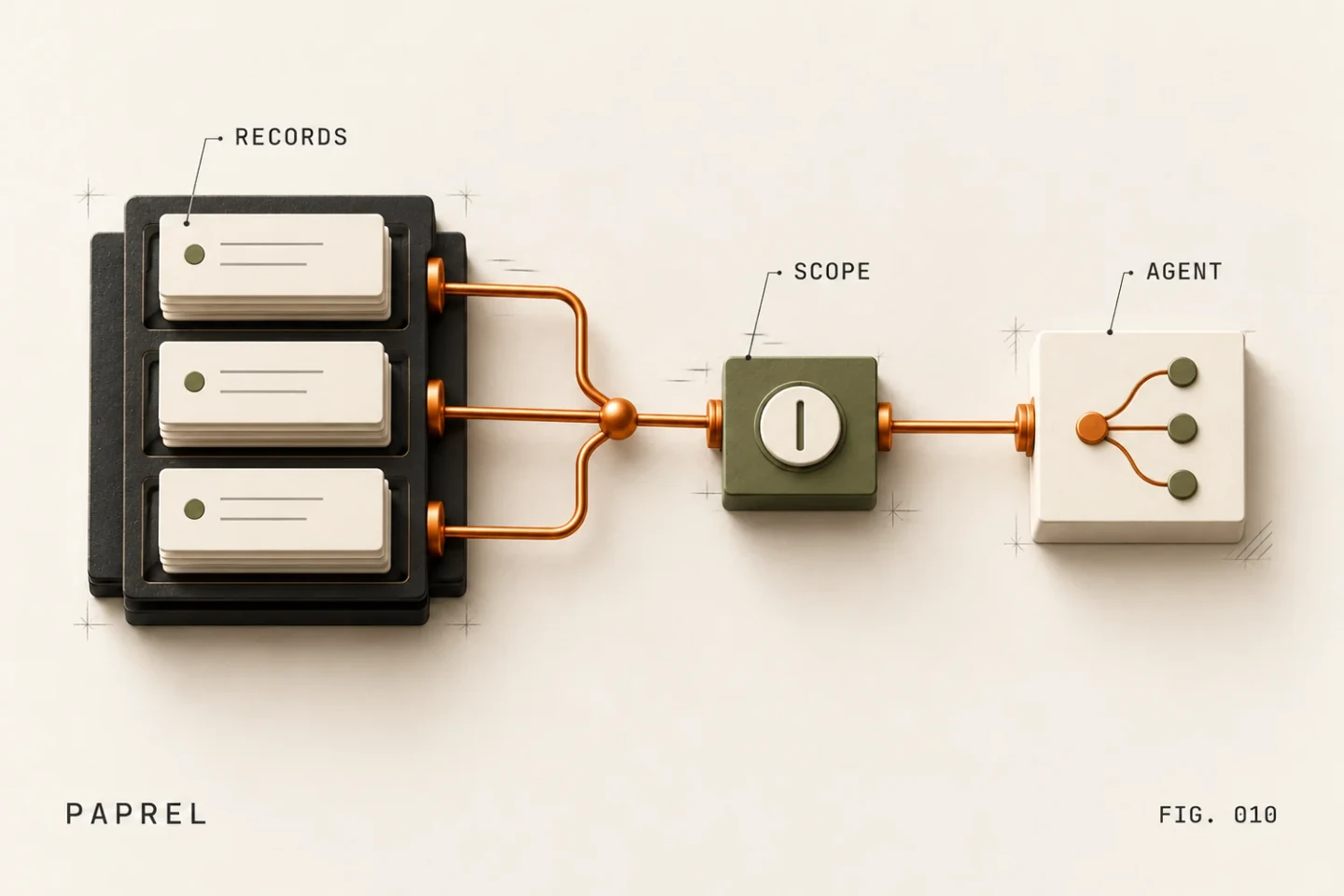
An accounting system is AI-ready if an agent can read balances from the ledger, create entries only as reviewable drafts, and leave attributed history. Here is how to check each.
A platform that ships invoice drafting, receipt extraction, or a chat panel has AI features. That doesn't make it AI-ready. AI-ready means the accounting layer underneath holds when an agent reads it, writes to it, or retries a write at 3 a.m. with nobody watching.
The Verification Table
| Property | Why it matters for agents | How Paprel does it | Source |
|---|---|---|---|
| Ledger is the source of truth | An agent's answer is only as good as the state it reads | Append-only double-entry ledger. Every journal, direct or generated from a document, is checked for balance, and unbalanced writes are rejected. Corrections are new entries. | Tenancy and the ledger core |
| Reports come from the same journals | The agent's number and the P&L must agree | Balance sheet, income statement, trial balance, and general ledger are derived live from journal rows (/v1/reports/*) | Tenancy and the ledger core |
| Agent writes are drafts | A misread or a retry shouldn't post to the books | Over MCP, invoices, expenses, and journal entries are created as drafts that a person posts. client_create, item_create, and banking_transaction_categorize take effect immediately, so leave them out of scope unless intended. | Custom agent guide |
| Access is scoped by the system, not the prompt | "Read only" in a prompt is not access control | The connection's scope decides which MCP tools the agent receives. Tokens are tenant-scoped with per-route grants, such as report:income-statement. | Authentication and tokens |
| History is attributed and queryable | You need to know what the agent did, separately from people | GET /v1/activity filters by source_type=app_connect, app_type=mcp_agent, and app_connect_id | API reference |
| Retries are safe, and you know where they aren't | Agents and their runtimes retry | Payments accept an Idempotency-Key. A duplicate document_number is rejected with DUPLICATE_DOCUMENT_NUMBER. Journals are not deduplicated, so check before retrying. | Webhooks and idempotency |
| Tenants are isolated | An agent for one customer must never see another's books | Each company is the tenant boundary and has its own MCP server URL | Tenancy and the ledger core |
How to Check Each One
Use a sandbox, not a slide deck. Every test below runs in Paprel's sandbox. Run the same tests against any platform you're evaluating.
1. Reads come from the ledger
Ask the agent, "What was net income last month?" Then call the income statement directly:
curl "$BASE/v1/reports/income-statement?date_range=2026-09-01,2026-09-30" \
  -H "authorization: Bearer $ACCESS_TOKEN" \
  -H "x-partner-domain: $PARTNER_DOMAIN"
The numbers should match exactly, because both read the same journals. If the agent is working from a cached export or a separate analytics store, they drift.
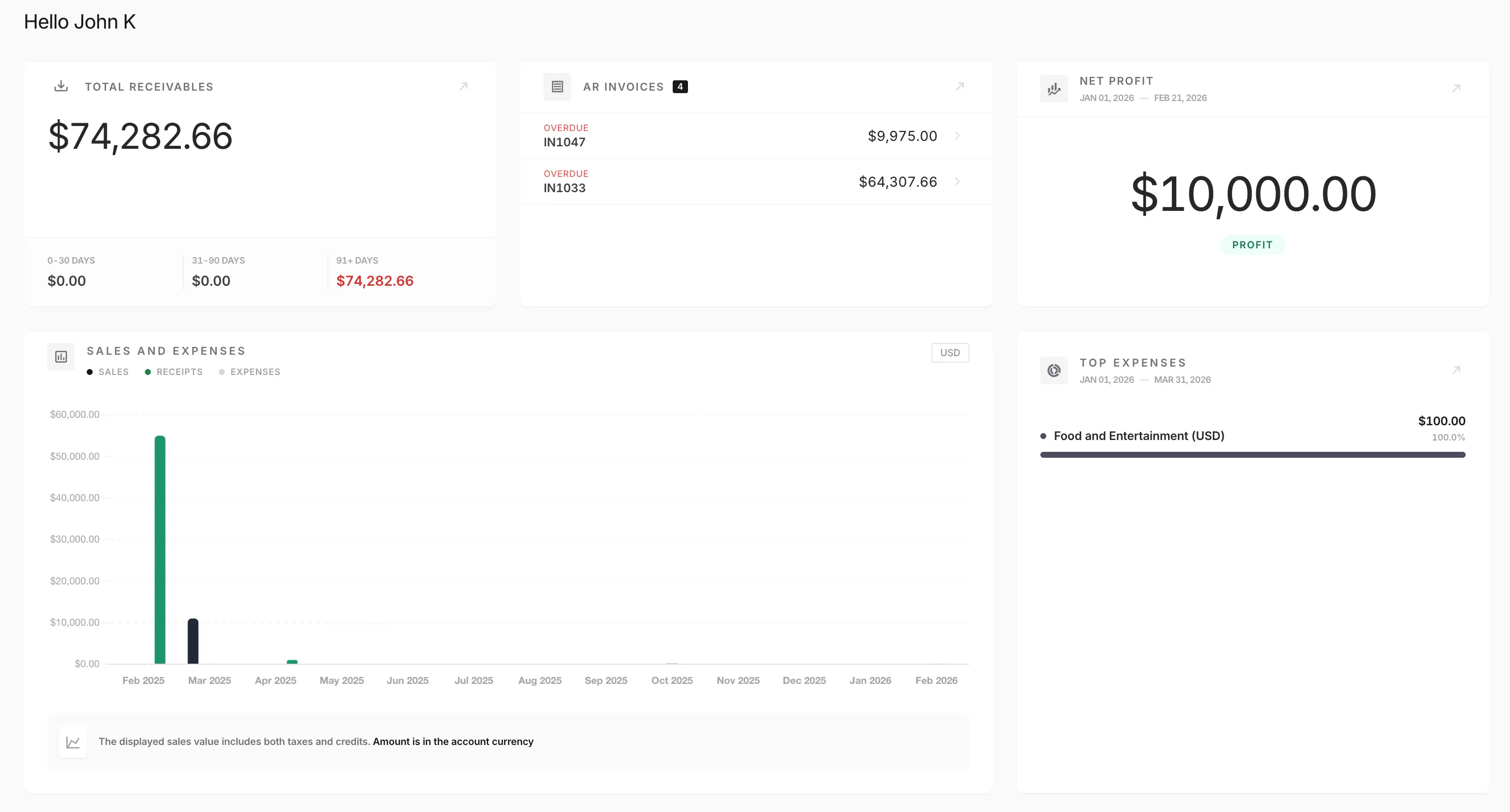
NewLedger's reporting dashboard, built on Paprel. The figures are derived from the same journals an agent reads.
2. Writes land as drafts
Connect an agent with a scope that includes invoice creation. Ask it to create the same invoice twice. Both should appear as drafts you can inspect and discard. Neither should touch the trial balance until a person posts it.
Then check the exceptions. Ask the platform which agent tools write immediately. In Paprel the answer is three: client_create, item_create, and banking_transaction_categorize. A platform that can't answer this question hasn't drawn the boundary.
3. Unbalanced entries are rejected
Post a journal whose debits don't equal its credits through POST /v1/accounting/journals. It should fail at write time, not surface as a difference at close. The 5-minute journal guide gets you to a first posted journal.
4. Scope is enforced
Issue a read-only connection and list its tools. The create tools should be absent, not present and discouraged by a system prompt.
5. History is attributed
After the tests above, list what the agent did:
curl "$BASE/v1/activity?source_type=app_connect&app_type=mcp_agent&app_connect_id=$APP_CONNECT_ID" \
  -H "authorization: Bearer $ACCESS_TOKEN" \
  -H "x-partner-domain: $PARTNER_DOMAIN"
You should see the drafts it created, attributed to that connection and separate from human activity.
6. Retries behave as documented
Record a payment with an Idempotency-Key, then repeat the exact request. You should get the original payment back, not a second one. Then create an invoice with a document_number you choose and repeat it. The second create should return DUPLICATE_DOCUMENT_NUMBER.
Questions to Ask Any Vendor
- Is your MCP server live today, or on the roadmap? Can I connect to it from the sandbox?
- Which agent writes skip review, and can I leave them out of a connection's scope?
- Do agent answers and your reports read the same data, or is there a sync in between?
- Can I filter the audit history to one agent connection?
- Which writes are deduplicated on retry, and which aren't?
Paprel's answers are in the table above, and each one links to the doc that backs it.
Read Next
- Paprel MCP for AI Agents and Accounting Workflows: the hub, with a worked draft invoice and the tool groups.
- Why AI Agents Need Structured Accounting Infrastructure: what goes wrong without these properties.
- MCP for Embedded Accounting Infrastructure: how a connection works, step by step.
- Playbooks: AR, AP, P&L.
Want to run the checks yourself? Start with the custom agent guide.