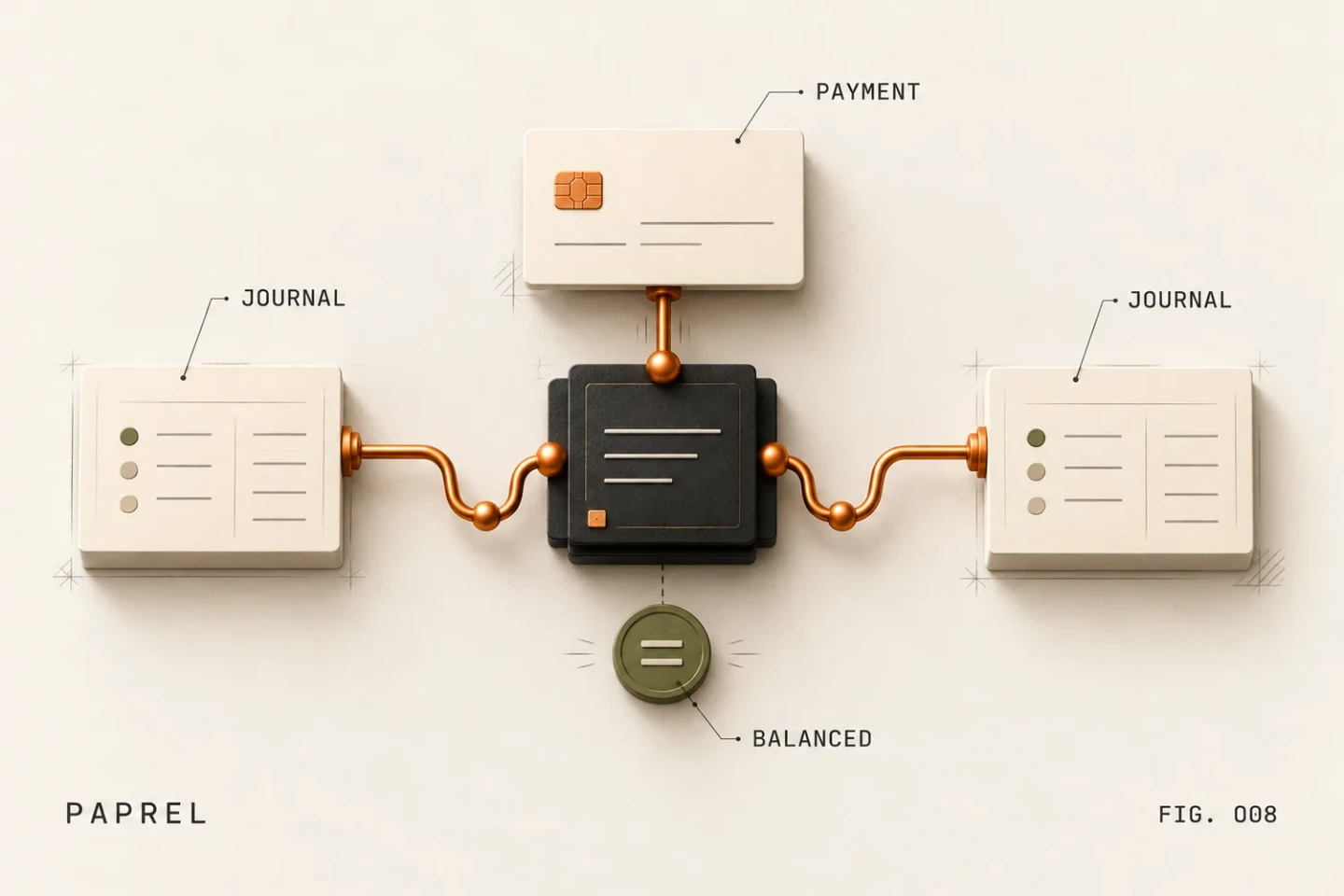
A customer pays a merchant $100 by card. The processor keeps a $2.90 fee and pays out $97.10 two days later. Your product shows "$100 received, $97.10 paid out." The merchant's books need three balanced journals:
| Day | Event | Debit | Credit |
|---|---|---|---|
| T | Card payment captured | Payments Clearing 100.00 | Sales Revenue 100.00 |
| T+2 | Processor fee withheld | Processing Fees 2.90 | Payments Clearing 2.90 |
| T+2 | Payout lands in the bank | Cash · Operating 97.10 | Payments Clearing 97.10 |
After the payout, Payments Clearing is back to zero. Revenue shows the full $100 the merchant earned, the fee shows up as an expense, and cash matches the bank. If clearing doesn't net to zero, the leftover is a payout that hasn't arrived or a fee nobody recorded. That leftover is your reconciliation worklist.
That's what ledger infrastructure means for a fintech product: every money movement becomes a balanced entry against a chart of accounts, so balances can be explained rather than just displayed.
The Journals as API Calls
In Paprel each merchant gets its own company with its own books (provisioning). The capture journal is one call to POST /v1/accounting/journals. Account IDs are placeholders for UUIDs from the company's chart of accounts:
curl -X POST "$BASE/v1/accounting/journals" \
  -H "$AUTH" -H "$PARTNER" -H "$CT" \
  -d '{
    "date": "2026-10-27",
    "currency": "USD",
    "reference": "ch_8f2k19",
    "description": "Card payment ch_8f2k19",
    "posted": true,
    "lines": [
      { "account_id": "<payments clearing account id>", "description": "Card payment, gross", "debit": "100.00" },
      { "account_id": "<sales revenue account id>", "description": "Sale",                "credit": "100.00" }
    ],
    "meta_data": {
      "root_entity_type": "card_payment",
      "root_entity_id": "ch_8f2k19"
    }
  }'
meta_data.root_entity_type and root_entity_id tie the journal to your own payment ID, so GET /v1/accounting/journals/for-entity?entity_type=card_payment&entity_id=ch_8f2k19 returns every journal for that payment. The fee and payout journals have the same shape with different lines.
Payments Clearing should be an ordinary asset account you create, not the system receivable or payable control account. Those are posted through document and payment workflows. The marketplace accounting guide uses the same clearing-account pattern for orders, commissions and payouts.
The Event Mapping Table
Write your mapping down once, as a table, before writing any code. This is the mapping for the merchant's books in the example above:
| Product event | Debit | Credit | Notes |
|---|---|---|---|
| Card payment captured | Payments Clearing (asset) | Sales Revenue (income) | Gross amount |
| Processor fee | Processing Fees (expense) | Payments Clearing | Booked when the fee is known |
| Refund | Sales Revenue (or a refunds contra-revenue account) | Payments Clearing | The capture journal with the legs reversed |
| Payout to bank | Cash · Operating (asset) | Payments Clearing | Net amount that actually arrived |
Two rules keep the table honest:
- Each event posts exactly once. One product event, one journal, joined back to the event by
root_entity_id. - Clearing accounts must net to zero. Every debit to clearing is eventually matched by a credit, and anything left over needs investigating.
If you're the platform holding funds for sellers, your own books add a Seller Payables liability between capture and payout; the marketplace guide shows that split.
When the $97.10 shows up on the bank statement, Paprel's reconciliation matches the bank line to the payout. Matching is driven by configurable match-policies, and POST /v1/accounting/transactions/settlement-preview shows allocations, fees and projected realised FX before you confirm with confirm-match. See banking and reconciliation.
Financial History You Can Rebuild
A fintech ledger has to give the same answer every time you ask what happened. Three properties do the work:
Balanced or rejected. Every journal is validated before it is written, whether you post it directly or a document generates it. An unbalanced journal is rejected and leaves no partial state.
Retries that don't double-post. Paprel's write path handles retries differently depending on what you're writing (webhooks and idempotency):
| Write | Retry behavior |
|---|---|
| Invoice or bill payment | Send an Idempotency-Key. Same key and same details returns the payment already recorded; same key with different details returns 409 |
Document with your own document_number | A repeat is rejected with DUPLICATE_DOCUMENT_NUMBER |
| Journal | Not deduplicated. Check the ledger before retrying |
For journal-heavy flows like the one above, keep one request in flight per product event. If a journal post times out, look for it with GET /v1/accounting/journals?reference=ch_8f2k19 or the for-entity call before you resubmit.
Recovery from the ledger. Webhooks notify you; the ledger is the source of truth. After an outage, read GET /v1/accounting/journals for the window you missed (it filters by date_range, account, reference and more) and reconcile your local state against it.
Reporting From the Same Rows
Paprel's reports are derived live from journal rows, so there's no second store to keep in sync:
GET /v1/reports/general-ledger?account=…for every movement through Payments ClearingGET /v1/reports/trial-balanceto confirm the books tieGET /v1/reports/income-statementandGET /v1/reports/balance-sheetfor the merchant's statements
Controls and Corrections
Once operators and merchants can touch financial records, you need to know who can do what:
- Scoped permissions. Posting a journal requires
accounting:journal-add,accounting:journal-editorrole:admin, and each credential gets only the permissions you grant it. - Corrections are reversals. Posted journals are voided with
PUT /v1/accounting/journals/void, which reverses the effect and keeps the history. - Period locks. Transaction locks protect closed periods, and writes against them are refused with lock errors such as
JOURNAL_LOCKED(API errors). Thepaprel-transaction-lockscomponent puts lock management in your UI. - Activity history.
GET /v1/activityanswers who changed what and when.
Build Versus Partner
Building is reasonable when the ledger itself is your product and you can staff it for years. Most fintech teams find the scope keeps expanding: reconciliation, reporting, period close, corrections, multi-currency and audit history. Before deciding:
- Build vs buy: model the three-year cost with the calculator.
- Custom ledger: what a homegrown ledger needs to match.
- Modern Treasury alternative: payment-ops ledgers compared with an accounting ledger.
AI agents can work against the same books through Paprel's hosted MCP server, with journal entries arriving as drafts a human posts. See Paprel for AI.
Read Next
- Double-Entry Ledger Architecture for Engineers: the invariants behind this post.
- Why Subledgers Matter: keeping document detail and GL balances in sync.
- Build vs Buy Embedded Accounting: what a production ledger costs to own.
Get a free sandbox (self-serve, no sales call). For the product view, see embedded accounting for fintech and the general ledger API.
Post your first journal in 5 minutes →