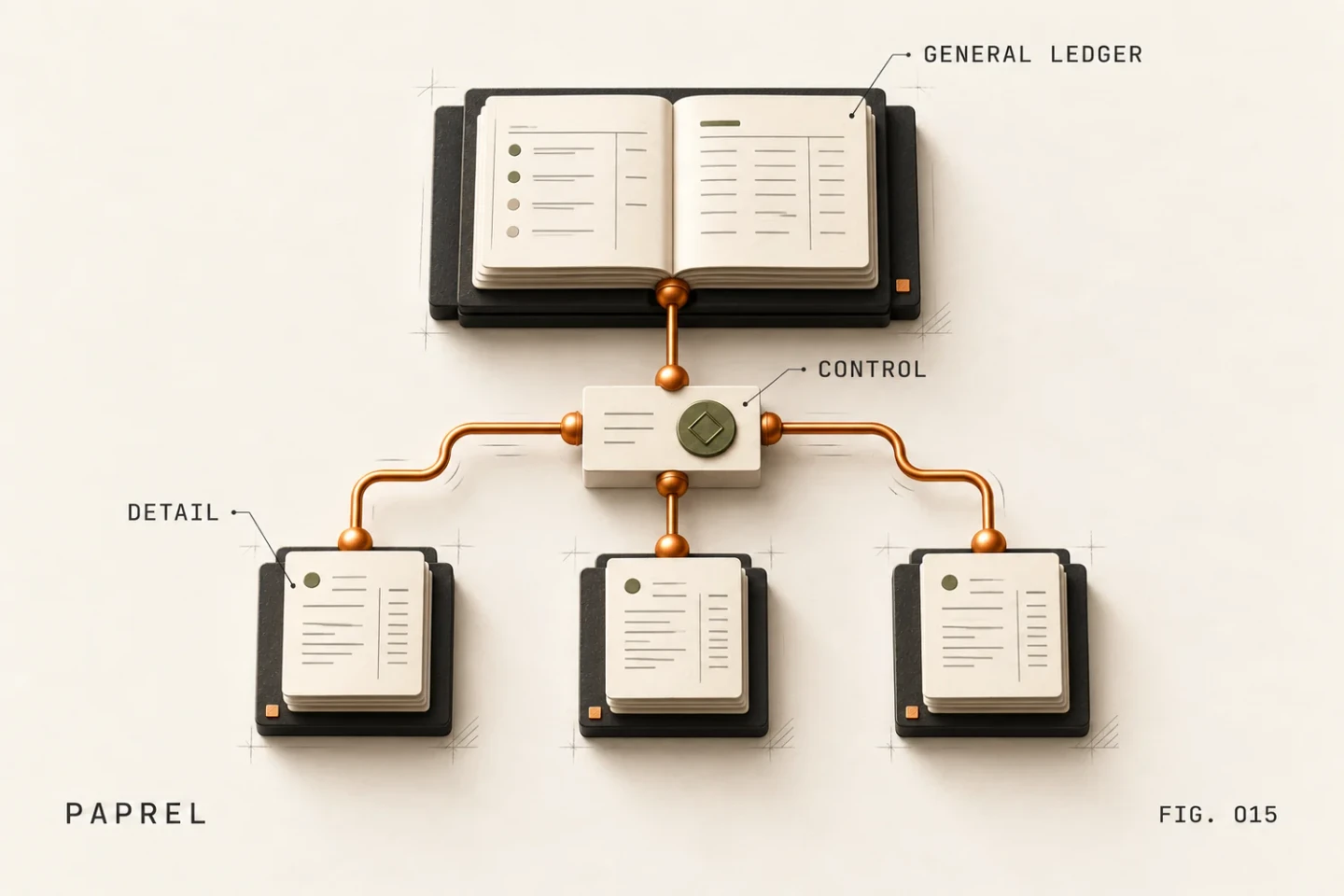
A general ledger tells you AR is $48,200. It can't tell you which twelve invoices make up that number. That's the subledger's job — and here's how Paprel keeps the two from drifting.
What a Subledger Actually Does
A subledger holds the document-level detail behind one general ledger account. That GL account is called a control account, and its balance should always equal the total of its subledger.
| Control account (GL) | Subledger detail |
|---|---|
| Accounts Receivable | Open invoices, credit notes and payments, per customer |
| Accounts Payable | Open bills and bill payments, per vendor |
The GL answers "what is our position?" The subledger answers "which documents, which customers, how old?" You need both, and they have to agree.
Why Product Teams Need Subledgers
Once your product offers accounting, users stop asking about totals and start asking about documents:
- Which invoices are still open, and for how much?
- What does this customer owe us today?
- Which bill did this payment settle?
- Why did receivables move by $400 yesterday?
If your system stores only GL journal lines, each of these turns into a report you assemble by hand. If it stores only documents, you have no books. A subledger links the two: each document carries its open balance and posts the matching lines to the control account.
Where Weak Subledger Design Causes Problems
Drift between the two is the classic failure. Some of the ways it happens:
- A manual journal hits the control account. Someone "fixes" AR with a hand-written entry. The GL balance moves; no invoice does. AR no longer equals the sum of open invoices, and nobody can say which customer the difference belongs to.
- A document changes without posting. An invoice is edited or a payment recorded, but the journal for it is missing or wrong. The subledger moves; the GL doesn't.
- Partial payments and credits. A payment that covers part of an invoice, or a credit note applied against one, has to reduce exactly that document's open balance and post exactly that amount to the control account.
Each of these balances on its own. The trial balance still ties, which is why drift goes unnoticed until someone reconciles.
How Paprel Keeps Them in Sync
Paprel routes control-account postings through documents and payments, and gives you reports that flag anything else and prove the two sides agree.
Documents and payments post to AR and AP. Invoices, credit notes and payments post receivables; bills and bill payments post payables. Keep manual journals for other accounts. The 5-minute quickstart says it directly: receivable and payable control accounts are posted through document and payment workflows, not manual journals.
The customer record anchors the receivables subledger. Every invoice, credit note and payment for a customer links back to the customer record you create with POST /v1/clients. That makes "what does this customer owe?" a single read instead of a report you build (20-minute guide, step 2).
Reports check the tie-out:
| Report | What it tells you |
|---|---|
GET /v1/reports/trial-balance | The trial balance, plus a control_account_reconciliation block per control account: ledger_balance, subledger_balance, difference, is_reconciled |
GET /v1/reports/control-account-exceptions | Journals with exceptional lines on the AR or AP control accounts, with is_manual, ar_net_debit and ap_net_debit per journal |
POST /v1/reports/control-account-exceptions/{journal_id}/review | Acknowledges an exception on that exact journal version, with a review note |
GET /v1/reports/source-posting-audit | Documents whose expected posting effects are missing, ambiguous or mismatched (include_complete=true also returns completed ones) |
GET /v1/reports/customer-statement?client=…&date_range=… | One customer's dated statement in company base currency |
Each exception entry carries reviewed_at, reviewer_id and review_note, so an acknowledgement is recorded against the journal version it covers.
A Worked Example: Invoice 1,000, Partial Payment 400
Brightline GmbH is invoiced 1,000.00. It pays 400.00 a week later.
1. The invoice posts. POST /v1/invoices for Brightline's people_id. When it posts, the invoice generates:
| Account | Debit | Credit |
|---|---|---|
| Accounts Receivable (control) | 1,000.00 | |
| Revenue | 1,000.00 |
2. The partial payment. Record it against the invoice with an idempotency key, so a retry can't pay it twice:
curl -X POST "$BASE/v1/invoices/<invoice anchor_id>/payment" \
  -H "$AUTH" -H "$PARTNER" -H "$CT" \
  -H "Idempotency-Key: pay-brightline-0001" \
  -d '{
    "payment_amount": "400.00",
    "payment_date": "2026-10-29",
    "payment_mode": "<payment mode>",
    "deposit_account": "<bank account id>",
    "reference_number": "WIRE-0001"
  }'
The payment generates:
| Account | Debit | Credit |
|---|---|---|
| Cash · Operating | 400.00 | |
| Accounts Receivable (control) | 400.00 |
3. Both sides now say 600.
| View | Balance |
|---|---|
| Subledger: Brightline's invoice | 600.00 open of 1,000.00 |
| GL: Accounts Receivable control | 1,000.00 Dr − 400.00 Cr = 600.00 |
4. Prove it. On a company where Brightline is the only receivable, the trial balance's reconciliation entry for receivables would read (values illustrative):
{
  "account_code": "account_receivable",
  "ledger_balance": "600.00",
  "subledger_balance": "600.00",
  "difference": "0.00",
  "is_reconciled": true,
  "tolerance": "0.00"
}
GET /v1/reports/customer-statement for Brightline shows the same 600.00 from the customer's side, and GET /v1/reports/control-account-exceptions has nothing to report for these two journals because both came from the invoice workflow.
What to Evaluate: Five Sandbox Checks
Don't take any vendor's word on subledger integrity, ours included. Run these in a sandbox:
- Partial payment. Invoice 1,000, pay 400, and confirm the document shows 600 open and the AR control account moved by exactly 400.
- Tie-out. Read
GET /v1/reports/trial-balanceand checkcontrol_account_reconciliationreportsdifference: "0.00"for receivables and payables. - Manual journal to a control account. Post a manual journal to the AR control account with
POST /v1/accounting/journals. Receivables shouldn't change silently. Note what happens: is the journal refused, or does it show up inGET /v1/reports/control-account-exceptionswithis_manual: truewaiting for review? Ask every vendor you evaluate the same question. - Posting audit. Run
GET /v1/reports/source-posting-auditafter your test flow. An empty result means every document produced the posting effects it should have. - Retry safety. Repeat the payment with the same
Idempotency-Keyand confirm you get the original payment back and the open balance stays at 600.
Read Next
- Double-Entry Accounting for Developers: AR, AP and control accounts from first principles.
- Double-Entry Ledger Architecture for Engineers: the invariants underneath.
- Paprel Webhooks for Reliable Accounting Workflows: keeping your own systems in step with document and payment changes.
How customer and vendor records work in Paprel: customer and vendor records.
Trace a receivable end to end in the 20-minute guide →