API Credentials vs OAuth 2.0: A Practical Guide for SaaS Teams
When API credentials, API keys, and OAuth 2.0 each make sense, and why the distinction matters for modern SaaS integrations.
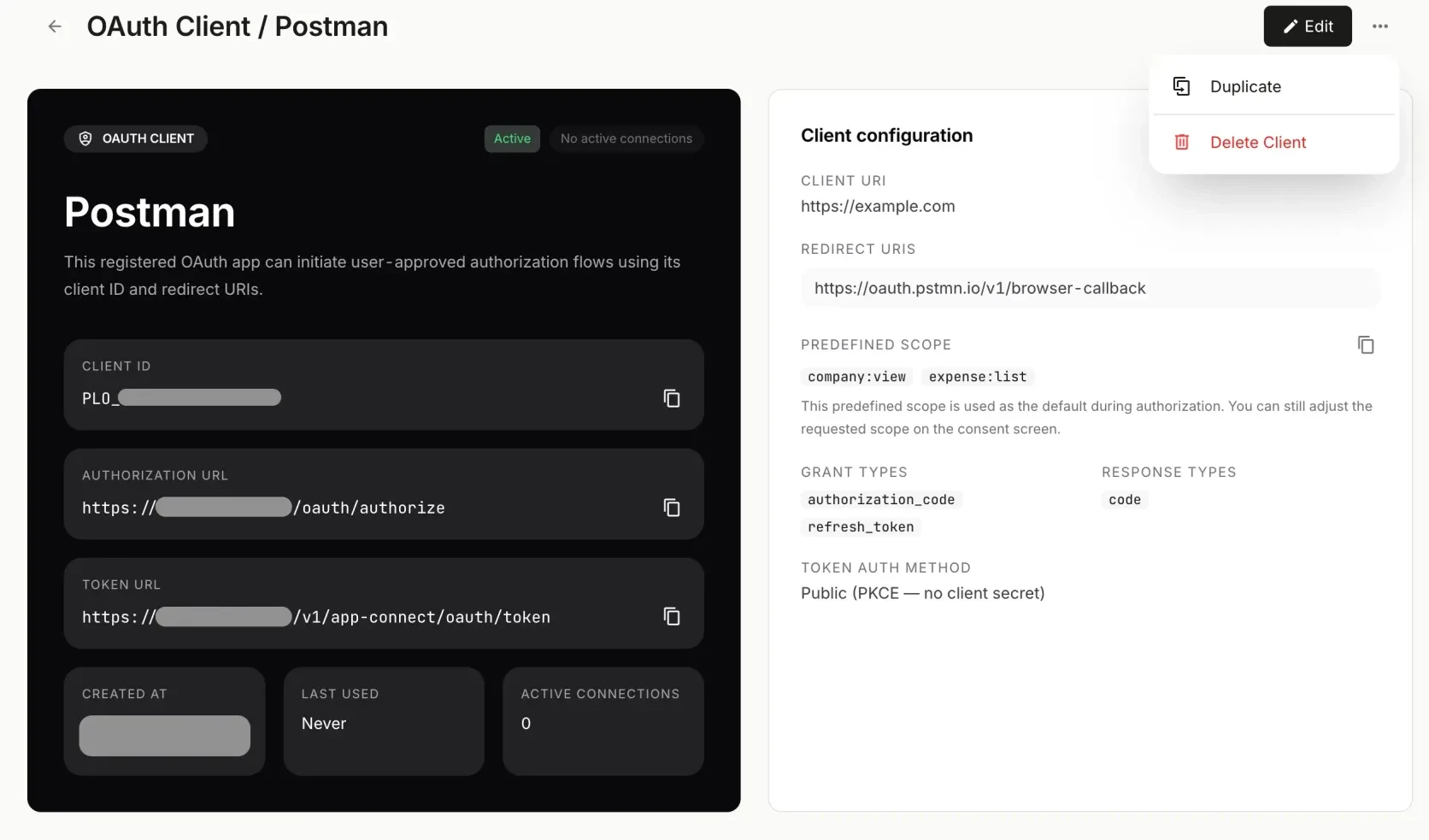
Teams often group API credentials, API keys, client secrets, and OAuth 2.0 into one broad idea: authentication.
But they do not solve the same problem.
This guide reflects how Paprel currently approaches API credentials and OAuth 2.0 in App Connect and integration workflows as of May 30, 2026 and is reviewed by the Paprel Product Team.
If you are building integrations, partner apps, or embedded accounting workflows, the difference matters because the wrong access model usually creates pain later:
- too much trust in one long-lived secret
- poor tenant separation
- no clear consent flow
- harder revocation
- support friction when customers need to connect third-party tools
This is the practical distinction.
The Short Version
In simple terms:
- API credentials are usually best for server-to-server access where the same organization controls both sides.
- OAuth 2.0 is usually best when one application needs permission to access another application on behalf of a user, company, or tenant.
- many platforms need both
The important part is not which one sounds more modern. It is which one matches the trust model of the workflow.
What API Credentials Are Good At
API credentials are often the fastest way to enable machine-to-machine access.
That might mean:
- an API key
- a client ID and client secret
- a service account token
- an internally managed access token

A credentials list makes the model clear: this is managed access created inside the platform, usually for trusted system use rather than delegated app installs.
This model works well when:
- your backend is calling your own platform
- an internal automation job needs access
- a trusted service within the same company needs a stable integration path
- the integration does not require per-user consent
For these cases, API credentials can be simple and effective.

Credential creation fits best when a team is intentionally provisioning direct access for a known integration path.
Where API Credentials Start To Break Down
Problems appear when teams stretch API credentials into workflows they were not designed for.
For example:
- asking customers to paste an admin credential into a third-party app
- reusing one credential across multiple customers or environments
- giving a partner broader access than they actually need
- lacking a clean way to revoke one integration without rotating a more global secret
At that point, the issue is usually not the credential format itself. The issue is that the access model no longer reflects who should be granting permission.
What OAuth 2.0 Solves
OAuth 2.0 is useful when access needs to be delegated rather than manually shared.
Instead of handing over a raw secret, the resource owner can authorize an app through a controlled flow. That usually enables:
- explicit consent
- scoped permissions
- tenant-aware installs
- token expiration and refresh behavior
- clearer revocation paths
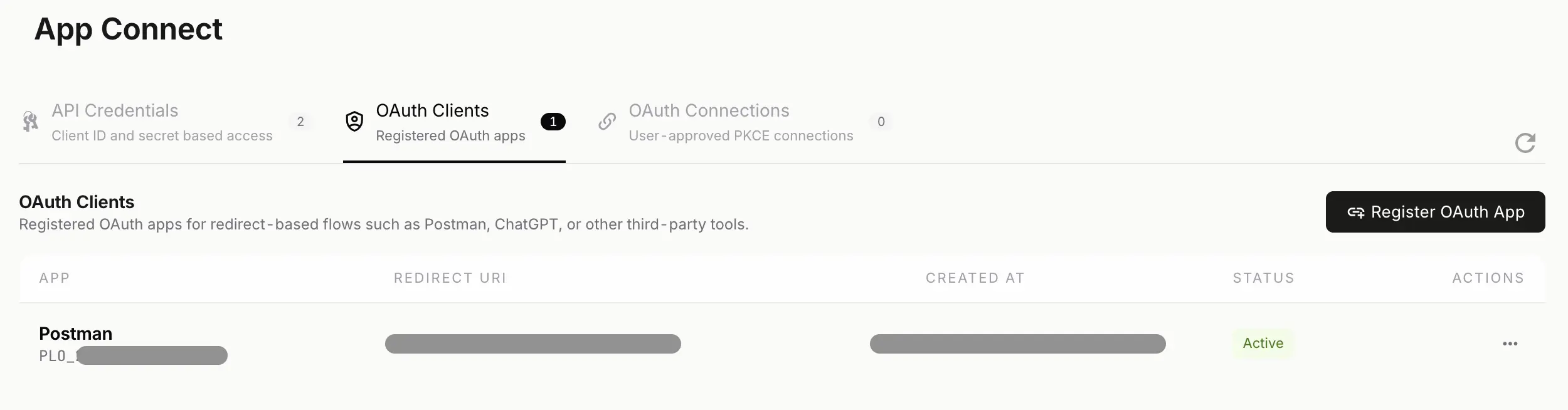
OAuth becomes more useful when access is something a customer or tenant should authorize explicitly instead of receiving a shared secret out of band.
This is why OAuth 2.0 is common for:
- SaaS app marketplaces
- partner integrations
- customer-authorized third-party apps
- multi-tenant platform ecosystems
- AI or workflow tools connecting to business systems on behalf of a customer
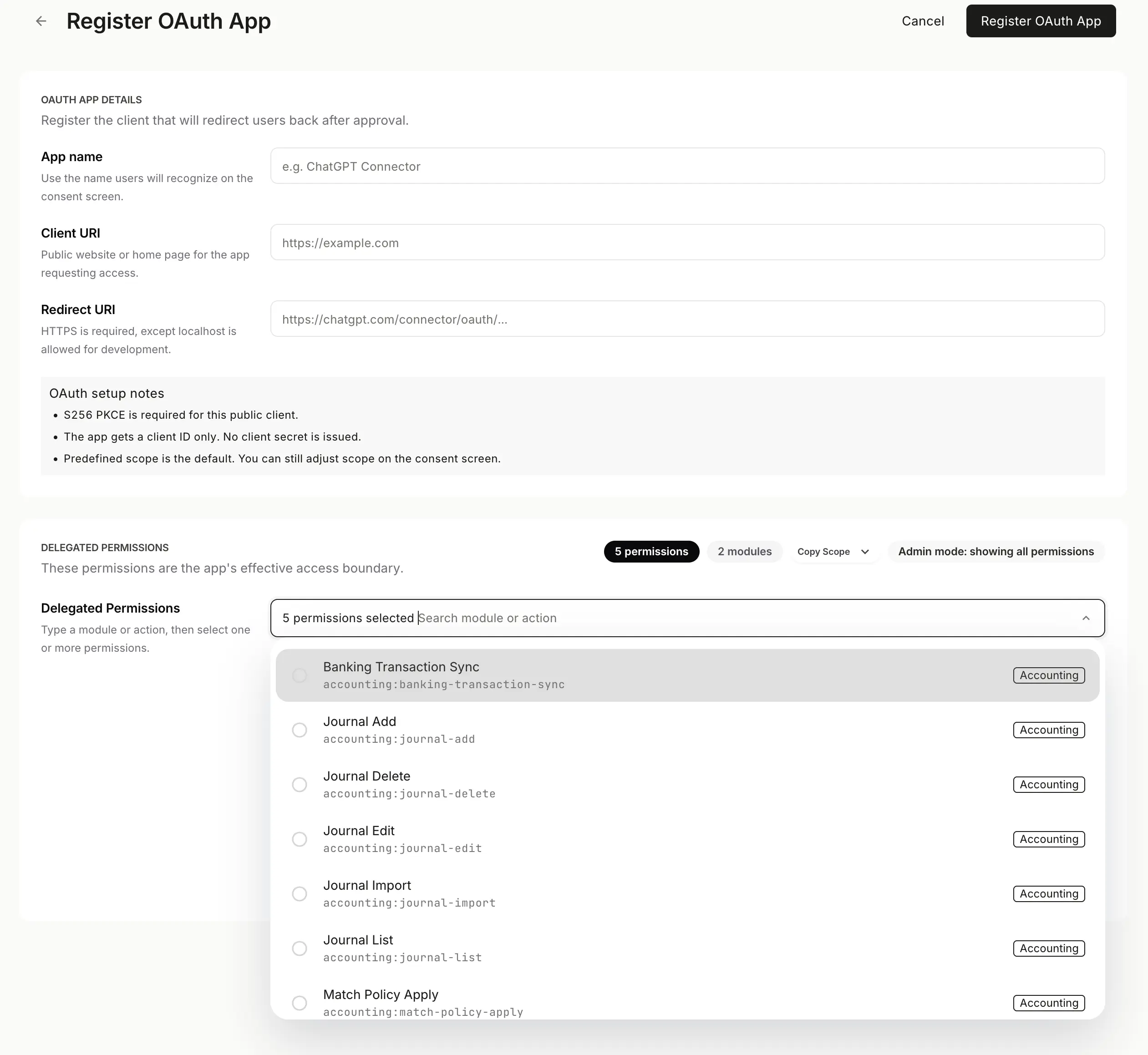
App registration is part of the operational difference. OAuth is not only about authentication, but about preparing a governed app-install model.
The Biggest Difference Is Ownership
The cleanest way to think about this is to ask one question:
Who is granting access?
If the answer is:
- our own team, for our own systems, API credentials may be enough
- a customer, operator, or tenant installing an external app, OAuth 2.0 is usually the better fit
That difference drives a lot of downstream architecture:
- secret handling
- auditability
- support burden
- app installation UX
- incident response
Why OAuth 2.0 Matters More In Multi-Tenant Products
Once a platform supports multiple companies, workspaces, or tenants, shared credentials become riskier.
A strong multi-tenant access model should make it easy to answer:
- which company authorized this integration?
- what scopes were granted?
- when can access be revoked?
- what happens if one app is compromised?
OAuth 2.0 helps because it gives teams a more structured way to separate installations and permissions by tenant instead of relying on static secret sharing.
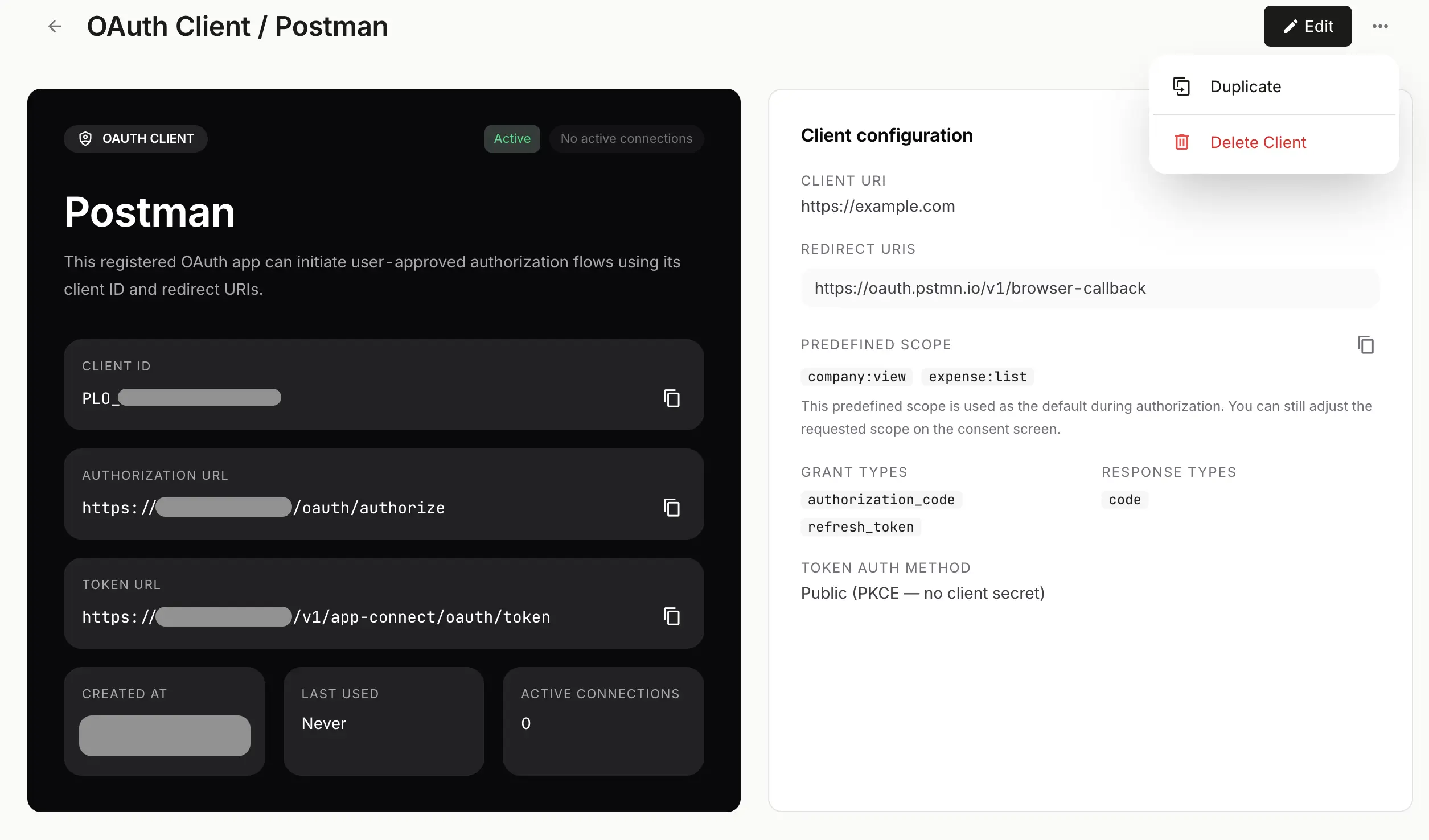
The detail view matters because delegated access should stay tied to a known app, a known scope boundary, and a known tenant relationship.
Why This Matters Even More In Accounting Workflows
Finance systems raise the bar.
If an integration can reach invoices, expenses, reports, journals, or bank-related workflows, the access model becomes part of the control model.
That is why teams building embedded accounting or finance infrastructure should care about:
- whether access is delegated or shared
- whether scopes can be limited
- whether installations are tied to a known tenant
- whether activity can be explained later during review
In accounting, the authentication decision is not just about developer convenience. It affects trust.
A Simple Decision Framework
Use API credentials when:
- the integration is internal
- the same organization controls both systems
- there is no end-user consent requirement
- the access pattern is operational and tightly governed
Use OAuth 2.0 when:
- a customer installs an app
- a partner needs controlled access
- you need per-tenant authorization
- permissions should be scoped and reviewable
- revocation should not depend on rotating a broad shared secret
Use both when:
- your platform supports internal service integrations and external app installs
- different workflows have different trust boundaries

A platform may need both models at once: direct credentials for controlled machine access and OAuth 2.0 for delegated customer-approved integrations.
Where Paprel Fits
Paprel is built for teams that need accounting infrastructure to work across products, workflows, and governed integrations.
That is why the platform direction matters beyond raw endpoints alone.
For sensitive workflows, teams should expect:
- API-first access patterns where structured integrations matter
- OAuth-based authorization where delegated access and scoped permissions matter
- workflow boundaries that fit finance operations more closely than generic secret sharing
For embedded accounting, choosing between API credentials and OAuth 2.0 is not a branding decision. It is a platform design decision.
Closing Thought
API credentials and OAuth 2.0 are not interchangeable.
One is usually best for trusted system access. The other is usually best for delegated application access.
The sooner a team makes that distinction clearly, the easier it becomes to build integrations that are safer, easier to support, and more credible to customers.
Read Next In This Series
- For the platform contract perspective, read Embedded Accounting for your platform.
- For event-driven integrations, read Webhooks for Embedded Accounting Platforms.
- For governed AI connections, read Paprel MCP Is Now Available for AI Agents and Accounting Workflows.
Engineering notes from the team building Paprel's ledger core and API — ledger architecture, multi-tenancy, idempotency, and the patterns behind audit-grade accounting. Reflects how the system actually works and is updated as the product evolves.
Build in sandbox, launch with a production trial
Use sandbox for developer testing with no billing. When you are ready for real workflows, start production on a monthly plan with a 14-day free trial.