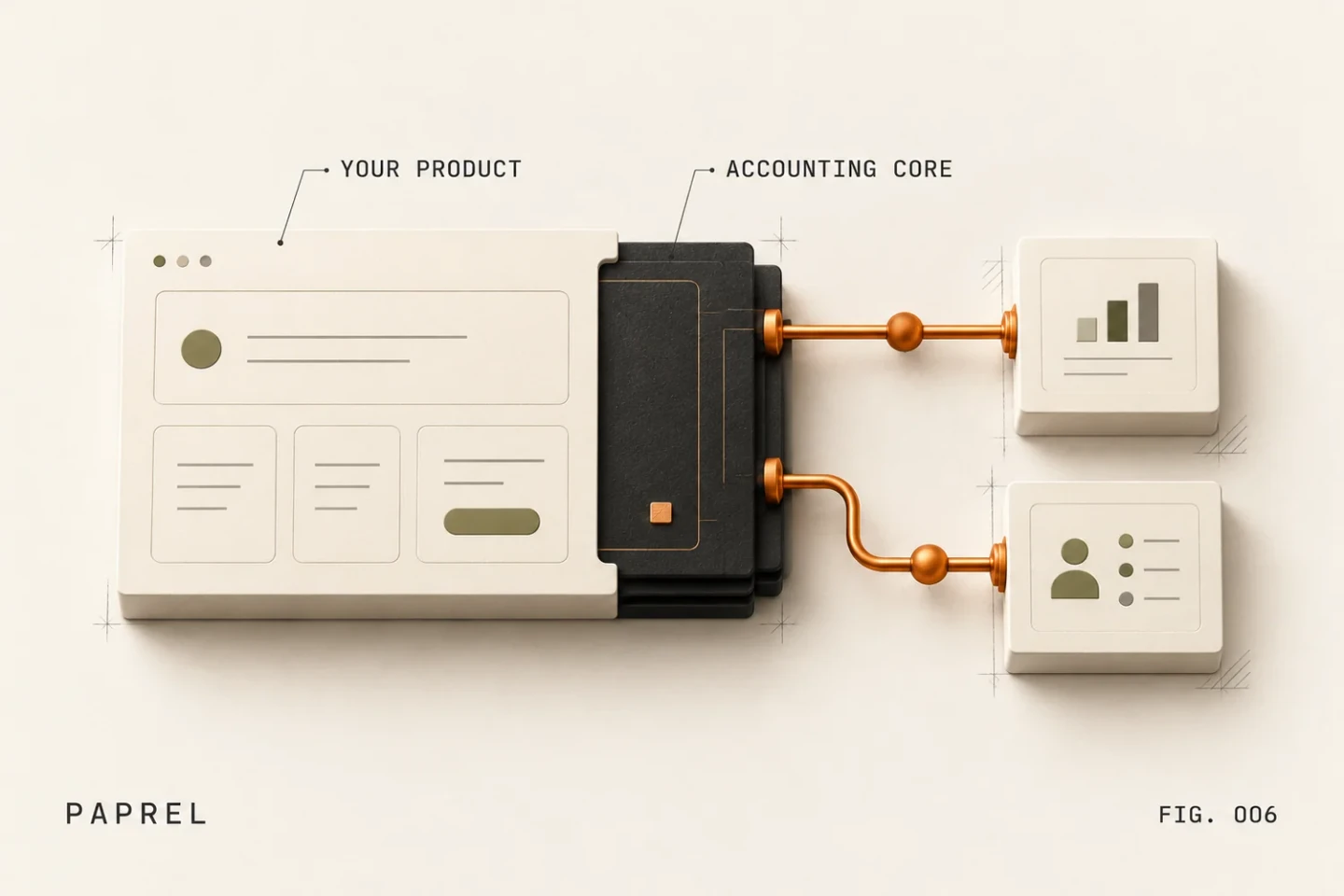
White-label accounting means your customers get a full set of books under your brand: one isolated company per customer tagged with your partner_id, roles mapped to your product's permissions, tenant-scoped tokens, and UI themed with your tokens.
Anything less is a reskinned dashboard. This checklist turns that definition into questions you can put to any vendor, and shows where to verify each answer for Paprel. For the commercial overview, see white-label accounting.
The Mechanics in One Table
| Piece | What it does | Where to verify |
|---|---|---|
| One company per customer | The tenant boundary: its own ledger, document numbering and seeded chart of accounts | White-label platform setup, step 1 |
partner_id on every tenant | Attributes each company to your platform rather than an independent signup | Same guide; deployment-models |
| Custom roles | Map your product's roles onto module permissions, per company | POST /v1/acl/role in the API reference |
| Tenant-scoped tokens | A token is minted for one company and carries one role's permissions | Authentication and tokens |
| Themed UI | @paprel/embed-* Web Components inherit your design tokens | Embedded UI patterns |
Five Questions to Ask Any Vendor
1. Will It Feel Native?
Branding is the easy part. The harder parts are whether the screens follow your navigation, your permissions and your design system.
How to verify with Paprel. The @paprel/embed-* packages are framework-neutral Web Components. You theme them by mapping your design tokens to CSS custom properties on .paprel-shell:
.paprel-shell {
  --paprel-color-primary: var(--brand-ink);
  --paprel-color-primary-text: #ffffff;
  --paprel-color-text: var(--brand-text);
  --paprel-color-border: var(--brand-border);
  --paprel-color-surface: var(--brand-surface);
  --paprel-font-family: var(--brand-font);
  --paprel-radius: 12px;
}
Routing and application chrome stay yours: components emit events such as paprel:resource-open and your host decides the URL. Mount one in the sandbox with your own tokens and see whether it reads as your product.
Also ask which screens exist as components. Accounting, banking, transactions, reconciliation and financial reports ship as Web Components. Invoices, bills, expenses and credit notes are API-first, so you build those screens. If your launch depends on a hosted surface appearing on your own domain, ask for that in writing during the partner conversation.
2. Is It Real Accounting?
A white-label layer that stores totals will fail the first time your customer's accountant asks for a trial balance.
How to verify with Paprel. Every journal, whether you post it or a document generates it, is checked for balance before it is written. Debits must equal credits or the write is rejected. There is no "post now, fix later" mode. Post an unbalanced journal in the sandbox and confirm you get an error, not a stored entry. Then pull GET /v1/reports/trial-balance; reports are derived live from journal lines.
3. How Much Control Do You Keep?
Your product already has roles: owner, bookkeeper, branch manager, read-only accountant. The accounting layer should take those shapes, not impose its own.
How to verify with Paprel. List what's grantable with GET /v1/acl/permission (organized by module), then create a role with POST /v1/acl/role using role_name, role_description and role_permission. Roles live inside each company, so a role in one tenant grants nothing in another. A token issued for that role is limited to its permissions at the API boundary, not in your middleware.
4. Is Attribution Built In?
If you provision hundreds of customers, every company needs to be traceable to your platform for support, billing and offboarding.
How to verify with Paprel. Each company you provision carries your partner_id. Backend-integrated partners use the Partner API: POST /v1/partner/companies creates up to 100 companies per call, keyed by your external_company_id, which makes retries safe. Sessions minted with POST /v1/partner/companies/{company_id}/sessions are ordinary App Connect tokens for that company.
5. Are Controls and Audit Included?
Ask how a reviewer answers "who changed this invoice, and what did it post?"
How to verify with Paprel. Documents are versioned under a stable anchor_id, posted journal lines are append-only (corrections are new entries), and GET /v1/activity filters history by entity_id, user_id, app_connect_id and date range.
Brand and Hosting Are Two Separate Choices
Vendors often present "white-label vs API-first" as one menu. It is two independent axes:
| Axis | Default | Alternative |
|---|---|---|
| Whose brand fronts it | Paprel-visible: you integrate over the API; Paprel-hosted workspace surfaces carry our name | White-label: your brand end to end, partner_id on every tenant |
| Where it runs | Shared: Paprel-operated multi-tenant infrastructure | Dedicated or BYOC: your cloud, or isolated infrastructure scoped per engagement |
All four combinations exist. A white-label platform runs on shared infrastructure unless it also picks the alternative on the hosting axis, and a dedicated deployment does not have to be white-label. White-label and BYOC are both scoped under a partner agreement. Deployment models has the full detail.
What's Included
Under a white-label partner agreement, three delivery surfaces sit on the same API:
- Headless API with Partner API provisioning. Your UI, your domain, your design system, with companies and users provisioned from your backend via the Partner API.
- Hosted workspace. Paprel-hosted workspace views you hand your customers for the accounting screens you don't want to rebuild.
- npm Web Components.
@paprel/embed-*(beta on npm) for accounts, journals, banking, transactions, reconciliation and financial reports inside your app shell.
Commercially, white-label is a partner agreement priced per engagement, not the self-serve per-company Standard plan. You can still run everything above in the sandbox first; it's the same API.
Common Mistakes
- Judging on UI customization alone. Check the ledger guarantees and role model before the theme.
- Assuming every screen has a component. Plan your own invoice, bill and expense screens.
- Conflating white-label with dedicated hosting. Decide each axis on its own merits.
- Skipping the retry story. Ask which writes are safe to retry. On Paprel, payments take an
Idempotency-Key, duplicatedocument_numbervalues are rejected, and journals are not deduplicated (details).
Read Next In This Series
- White-Label Accounting for Accounting Firms — the same model for a firm running client books.
- Multi-Tenant Accounting Systems — how tenant isolation should work.
- How to Embed Paprel Accounting UI in Your App — the Web Components, step by step.
- Build vs Buy Embedded Accounting — the cost framework.
Want to try the mechanics first? Follow the white-label platform setup guide in the sandbox.