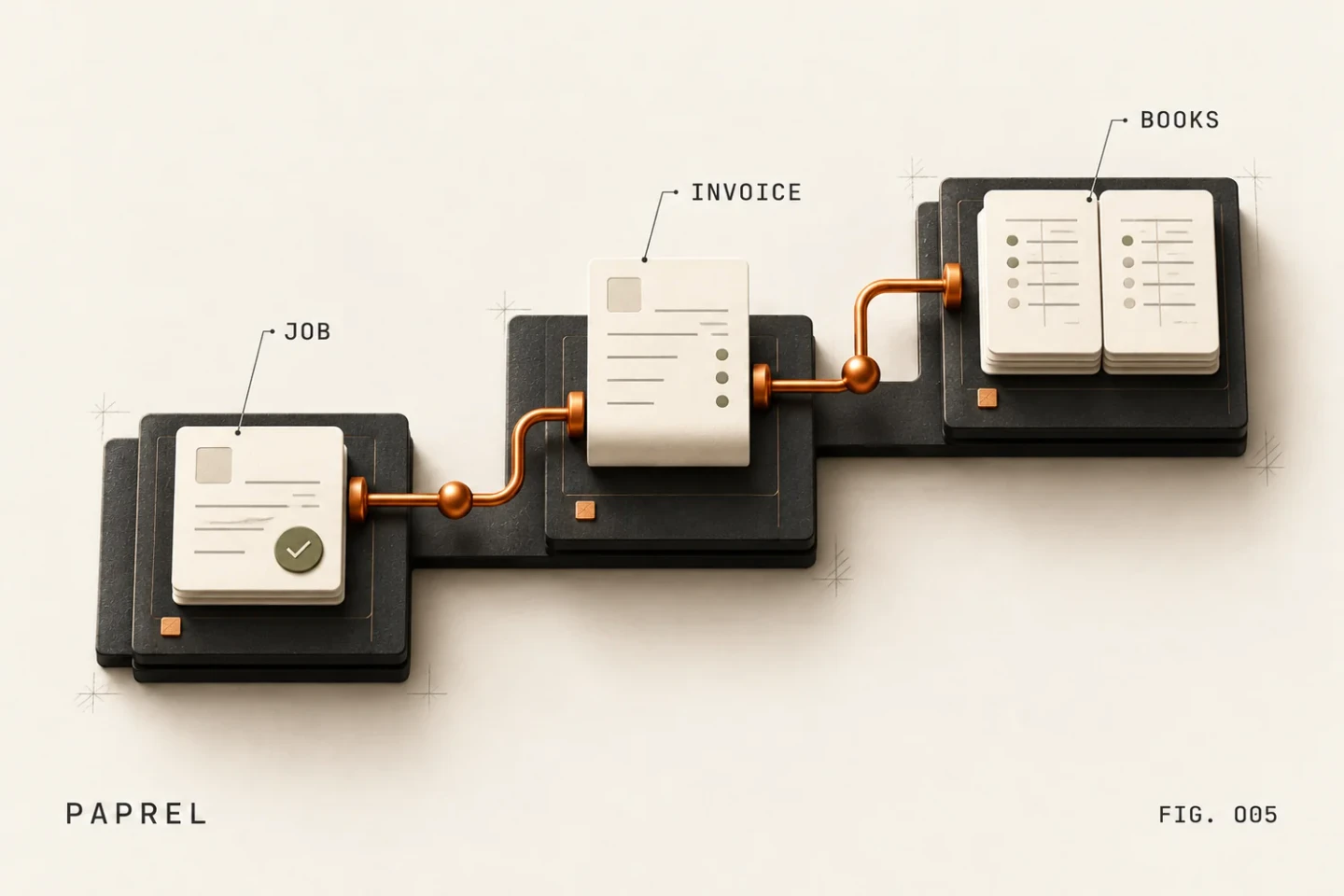
A field-service platform already knows the job was finished, the parts used and the price agreed. Here is the exact sequence of API calls that turns that job into an invoice, a receivable and a balanced journal — without an export to QuickBooks.
The example is an HVAC repair: job 48213 for Northside Dental, two hours of labour at 95.00 and one replacement compressor at 420.00. Total 610.00, no tax, to keep the journals readable. Every path and field below is in the API reference. IDs in angle brackets are placeholders.
If you want the category view — why vertical platforms embed accounting at all — start at embedded accounting for vertical SaaS. This post is the mechanics underneath it.
The Event Your Product Already Has
When a technician closes a job, your product holds a record like this:
{
  "job_id": "48213",
  "customer": { "id": "cust-0917", "name": "Northside Dental", "email": "ap@northside.example" },
  "lines": [
    { "sku": "LAB-HR", "description": "Labour", "qty": 2, "unit_price": "95.00" },
    { "sku": "PRT-CMP-3T", "description": "Compressor, 3 ton", "qty": 1, "unit_price": "420.00" }
  ],
  "completed_at": "2026-10-28"
}
An integration would serialize that and push it to the customer's accounting tool, then hope the mapping holds. Embedding means your backend posts it straight into a ledger that belongs to this customer's books. The QuickBooks API alternative comparison covers when the integration route is still the right call.
Setup: Auth and Two Catalog Items
Exchange your App Connect client_id/client_secret for a token at POST /v1/app-connect/oauth/token (OAuth 2.0 client credentials; tokens expire after expires_in, one hour by default). Every call then sends two headers. The authentication guide has the full exchange.
export BASE="https://api-sandbox.paprel.com"
export AUTH="authorization: Bearer $ACCESS_TOKEN"
export PARTNER="x-partner-domain: app.yourproduct.com"
export CT="content-type: application/json"
Invoice lines reference catalog items, so create one item per SKU once, at onboarding, not per job. Each item carries its revenue account in sales_account_id, which is how labour and parts land in different income lines without your code choosing accounts per invoice:
curl -X POST $BASE/v1/items -H "$AUTH" -H "$PARTNER" -H "$CT" -d '{
  "item_name": "Labour",
  "item_type": "service",
  "sku": "LAB-HR",
  "sales_price": "95.00",
  "sales_currency": "USD",
  "sales_account_id": "<service revenue account id>",
  "external_source": "fieldops",
  "external_id": "LAB-HR"
}'
Repeat for PRT-CMP-3T with a parts revenue account. Account ids come from GET /v1/accounting/accounts.
Step 1: Create the Client
POST /v1/clients requires company_name, company_email, contact_first_name, currency and locale. Store your own customer id in external_id so you can find the record later:
curl -X POST $BASE/v1/clients -H "$AUTH" -H "$PARTNER" -H "$CT" -d '{
  "company_name": "Northside Dental",
  "company_email": "ap@northside.example",
  "contact_first_name": "Priya",
  "currency": "USD",
  "locale": "en_US",
  "payment_term": 30,
  "external_source": "fieldops",
  "external_id": "cust-0917"
}'
Keep the returned people_id. The client anchors the receivables sub-ledger: every invoice and payment for Northside links back to it.
Step 2: Invoice the Job
POST /v1/invoices requires people_id, currency, document_issue_date and items (each with item_id, item_quantity, item_cost). Set document_number from your job id:
curl -X POST $BASE/v1/invoices -H "$AUTH" -H "$PARTNER" -H "$CT" -d '{
  "people_id": "<people_id>",
  "currency": "USD",
  "document_number": "JOB-48213",
  "document_issue_date": "2026-10-28",
  "document_due_date": "2026-11-27",
  "external_source": "fieldops",
  "external_id": "48213",
  "items": [
    { "item_id": "<LAB-HR item id>", "item_name": "Labour", "item_quantity": "2", "item_cost": "95.00" },
    { "item_id": "<PRT-CMP-3T item id>", "item_name": "Compressor, 3 ton", "item_quantity": "1", "item_cost": "420.00" }
  ]
}'
Using your job id as document_number is a retry guard: a second create with the same number is rejected with DUPLICATE_DOCUMENT_NUMBER, so a job-closed event delivered twice cannot bill the customer twice. The rejection is an error, not the original invoice, so read the invoice back after it.
The response carries the invoice's anchor_id, the identifier that stays stable across edits. Once posted, the invoice generates this journal:
| Account | Debit | Credit |
|---|---|---|
| Accounts Receivable | 610.00 | |
| Service Revenue | 190.00 | |
| Parts Revenue | 420.00 |
Your code never wrote that journal. The item mappings did. If debits and credits disagreed, the ledger would reject the posting rather than store it.
Step 3: Record the Payment with an Idempotency-Key
Northside pays by card. Record it against the invoice. payment_mode is an id from GET /v1/company/payment-modes; deposit_account is the bank or cash account receiving the money:
curl -X POST $BASE/v1/invoices/<anchor_id>/payment \
  -H "$AUTH" -H "$PARTNER" -H "$CT" \
  -H "Idempotency-Key: job-48213-pay-1" \
  -d '{
    "payment_amount": "610.00",
    "payment_date": "2026-10-29",
    "payment_mode": "<payment mode id>",
    "deposit_account": "<operating bank account id>",
    "reference_number": "ch_3Q8x-example"
  }'
If the call times out and your worker retries with the same Idempotency-Key and the same body, Paprel returns the payment it already recorded. The same key with a different body returns 409. Without a key, every request is a new payment.
That guarantee is specific to payments. Journals posted directly are not deduplicated by key, so check the ledger before retrying one. Webhooks and idempotency lists what is safe to retry.
If your card processor withholds a fee, send it as bank_charge on the same call: the payment amount plus the charge is applied to the invoice.
Step 4: Read the Journals Back
Ask the ledger what the job produced:
curl "$BASE/v1/accounting/journals/for-entity?entity_type=invoice&entity_id=<invoice id>" \
  -H "$AUTH" -H "$PARTNER"
The payment posted a second balanced journal:
| Account | Debit | Credit |
|---|---|---|
| Operating Bank | 610.00 | |
| Accounts Receivable | 610.00 |
Revenue is untouched by the payment; it was earned when the job was invoiced. The receivable for Northside is back to zero and the invoice is paid.
Step 5: The Trial Balance Ties Out
curl "$BASE/v1/reports/trial-balance?date=2026-10-31¤cy=USD" -H "$AUTH" -H "$PARTNER"
For this job alone, the movement looks like this:
| Account | Debit | Credit |
|---|---|---|
| Operating Bank | 610.00 | |
| Accounts Receivable | 0.00 | |
| Service Revenue | 190.00 | |
| Parts Revenue | 420.00 | |
| Total | 610.00 | 610.00 |
Reports are derived live from journal lines, so the trial balance, P&L (/v1/reports/income-statement) and balance sheet agree with each other without a sync job. Your customer's accountant can drill from any report line to the journal and back to job 48213.
Where Paprel Fits
The five steps above are the minimum loop. Around it, these are the pieces a vertical platform usually needs next:
- Ledger — balanced-or-rejected journals and a seeded chart of accounts per company.
- Invoicing — documents, payments, credit notes and configurable statuses. Invoices are API-first: there is no Web Component for them, so you render the invoice screens in your own UI.
- Banking and reconciliation — match bank transactions to payments, with embeddable banking and reconciliation components.
- Permissions and audit — custom roles per company and activity history on every document.
- White-label — one isolated company per customer, tagged with your
partner_id, under your brand. - AI — a hosted MCP server per company, where agent-created invoices and journals arrive as drafts a human posts.
Whether to build this loop yourself is a separate decision. Build vs buy puts numbers on it.
Read Next In This Series
- Does Your SaaS Need an Embedded Ledger? — the decision guide before this build.
- Double-Entry Ledger Architecture — why the journals above stay balanced.
- Paprel Webhooks for Reliable Accounting Workflows — reacting to paid invoices in your product.
Prefer the overview first? See embedded accounting for vertical SaaS or build vs buy.